Insight
May 4, 2026
Despite everything technology has made possible, guiding people through complex physical work has stayed stubbornly human. Whether it’s a technician learning a new procedure, an engineer validating a build, a customer seeing a machine for the first time — the best tool we've had is still a human expert, standing next to the equipment.
That’s where Spark comes in.
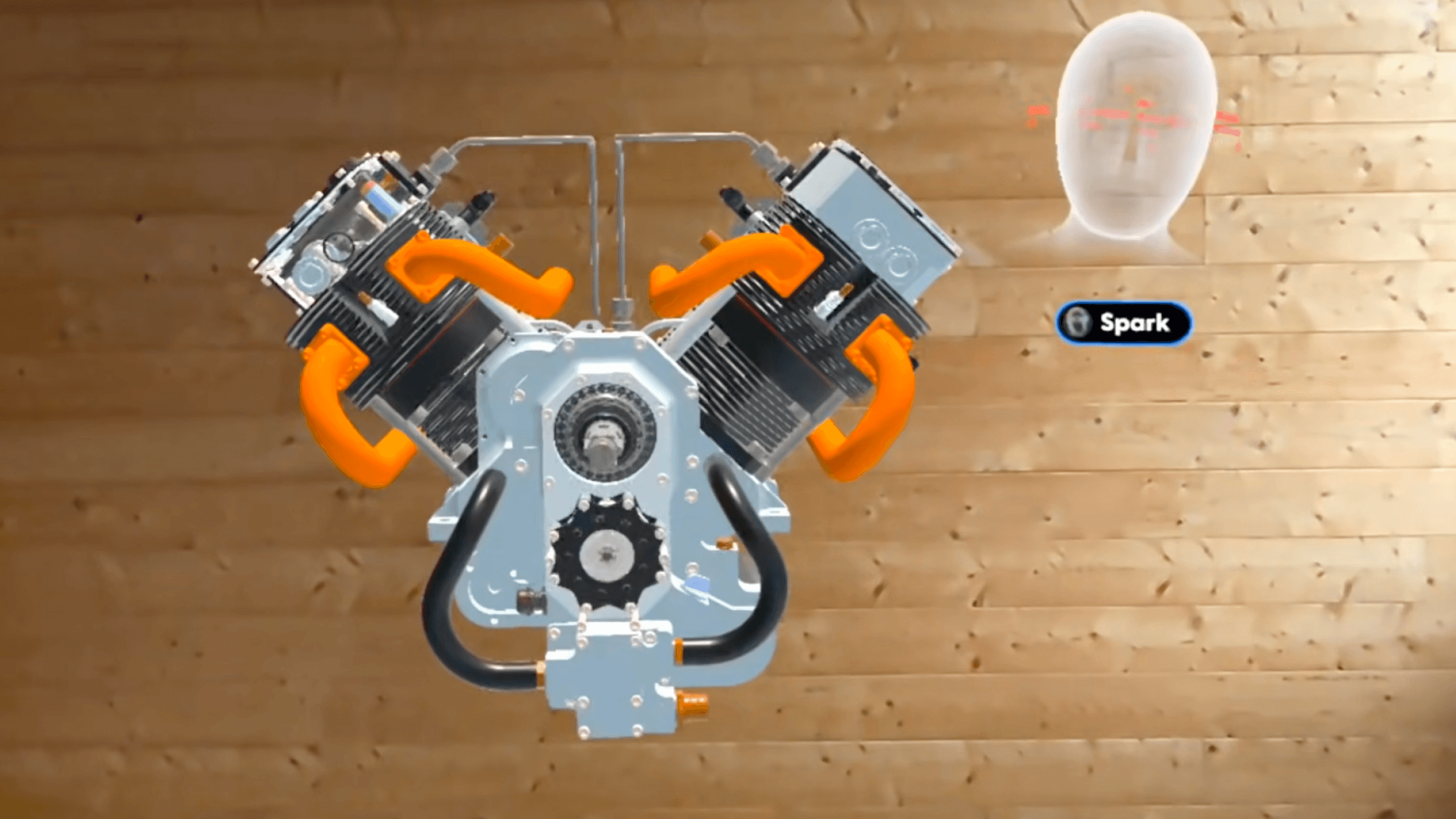
Spark is the first spatial agent built to guide people through physical work. Like a human expert, it feels like Spark is right there with you. Spark understands 3D space, so it knows where your models are, where you are, and even where you’re pointing. You can talk to Spark in natural language, ask questions, and get guidance in real time.
If you’re already a Campfire user, you might recognize Spark. When Campfire launched on Meta Quest 3 in 2023, Spark was already there as a character guiding users through an onboarding tutorial. Early on, a customer saw it and immediately said: I want Spark to be our trainer.
We agreed. So we made Spark real.
What Spark can do
Spark can do everything you can do in Campfire — and more. Whether you’re authoring content, presenting it, or using Campfire to learn, Spark makes everything easier and more powerful.
Authoring with Spark
Working with models and parts in 3D has always been complicated, requiring a lot of keyboard-and-mouse gymnastics that don’t come naturally to most people. Campfire has always worked to lower that barrier; anyone who can use PowerPoint can use Campfire, no coding or specialized expertise required.
Spark takes this even further.
You can just talk to Spark, describe what you want, and watch as Spark does it for you. Whether you’re creating curriculum or prepping for a design review, Spark works with your existing CAD files, 3D models, and documents to build the content.
Of course, Spark can arrange scenes and manipulate models. Tell Spark to move or resize a model, duplicate it, rotate it, change a material, hide a component, or whatever you need. No digging through menus or memorizing keyboard shortcuts. Just ask Spark!
Spark can even build animations for you. Describe the motion or sequence you need, and Spark handles the execution. There’s never been an easier way to create 3D animations.
And now, you can build guided workflows to walk someone through a process step by step — either self-guided or with Spark guiding the way.
Until now, authoring content like this required a dedicated production team. Now it's just a conversation with Spark.
Presenting with Spark
Live sessions are unpredictable. Someone asks a question, and you want to use the content to answer it — manipulate the scene, isolate a part, pull up a document, jump to a different section. It should be simple, but usually it’s not.
Some teams solve this with a dedicated operator: one person presents, another drives the software. With Spark, you don't need a human helper.
Just tell Spark what you need, and it happens. Ask Spark to hide a component, highlight a part, explode the model, pull up a reference, or jump around to another scene. Because you can't anticipate every question. But with Spark, you don't have to.
Learning with Spark
Spark can even be your trainer.
When you're learning a new procedure, Spark walks you through it step by step. Each step is explained visually by manipulating models or playing animations. And Spark might just be the most patient instructor you’ve ever had: you can go at your own pace, repeat steps as many times as you need, and actually absorb what you're learning before moving on.
At any point, you can ask Spark a question. You’ll always get accurate, reliable information because Spark only answers based on content it’s been given, whether that’s a model, drawing, or technical document. So when an answer comes from a specific document, Spark shows you the source.
And if you need Spark to adjust, just ask. Speak more slowly. Switch to another language. Spend more time on a step. Spark works the way you need it to.
How Spark Helps
Campfire is built for teams that work with complex physical products and equipment. Those teams already use Campfire in a lot of different ways, and Spark can help with all of them.
Design and manufacturing validation
Documentation is one of the most painful parts of any design review, validation session, or virtual build. Specs, tolerances, and requirements tend to live in separate documents, making it hard to track them against a model in real time. With Spark, that's handled — so everyone in the session can stay focused on the work, not the paperwork.
Spark can:
Reference your specs: Add drawings, specifications, and other reference materials to the project, and Spark can keep track of them throughout the review — answering questions about tolerances and requirements without anyone having to dig through documents.
Manipulate the model on the fly: Ask Spark to isolate a component, hide parts, or adjust the view in real time, so the review keeps moving without interruption.
Create issues and take notes: Instead of typing out an issue yourself (which is especially painful on a headset), just point and tell Spark.
Presentations and training
The most effective way to learn about complex products or equipment has always been having an expert right there with you. The problem is that doesn't scale. Spark changes that — whether you're running a training session, a product walkthrough, or a customer demo. Because unlike human experts, Spark can be everywhere at once and available around the clock.
Spark can:
Build content from what you already have: Using your CAD models, manuals, and SOPs, the people who know the equipment best can create guided, interactive content directly. Instead of waiting weeks for a specialist or production team to build it, anyone can do it themselves within hours.
Deliver it to everyone who needs it: Spark guides people through content step by step, at their own pace, and answers ad-hoc questions based on whatever information you give it.
Keep a record of every session: Spark can tell you what was covered and what people asked about — so you can see exactly where understanding breaks down, spot trends, and improve continuously.
On-the-job assistance
Give Spark a CAD model and a few technical documents, and it becomes an on-demand resource for anyone who needs to understand that product. A sales rep can ask Spark a question and get an instant answer. A field technician can use Spark to get familiar with custom equipment before they arrive on-site for the install. Whatever comes up in the course of a day, Spark is there to assist — without anyone having to track down an engineer.
Spark can:
Walk you through any model: Whether you want to know how a specific subsystem works, see where a certain component fits, or simply explore in 3D, Spark can help you see or understand anything you need.
Answer questions from your own documentation: Ask Spark anything and get accurate, sourced answers pulled directly from your technical materials.
Work with your existing files: Unlike structured training content, you don't need to build anything in advance. Just add your models and docs, and start talking to Spark.
Availability
Campfire is available on a range of supported devices: Meta Quest, Samsung Galaxy XR, Apple iPad, Windows, and Mac. As the Android XR ecosystem expands to new form factors, including glasses, Campfire will be there too.
We've begun rolling out Preview access with select customers and will be expanding over the coming months. If you're building or managing training for an organization that works with complex physical products, apply for the Spark Preview and tell us about your training needs.
Frequently Asked Questions
What is a spatial agent?
A spatial agent understands 3D space. Most AI tools, even powerful ones, operate on flat screens. They work with text, images, and files, so their understanding of the world lives in 2D. Spark is different. Spark knows what models are in your project, how they're arranged, and where you're focused — so it can answer questions and take action in the context of the actual 3D model, not a generic description in a separate chat window.
What does Spark need to get started?
Spark works with your existing CAD and 3D models, as well as technical documents and drawings. No off-the-shelf content library, no developer dependency. Teams can drop in the assets they already have, then build and update immersive content without writing a line of code.
Does Spark replace our LMS?
No. Spark is the spatial guidance layer that works alongside your existing LMS, not a replacement for it.
Do I need to be technical to use Spark?
No. Interacting with Spark is as natural as asking a question out loud or typing a message. No complicated interface, just intuitive interaction that’s accessible to anyone.
What devices does Spark work on?
Spark works on desktop computers, iPad, and headsets. Headsets and iPad support immersive, full-scale training, but it's fully accessible on a laptop or desktop too. See our full list of supported devices.
When can we get access?
We're prioritizing organizations with complex equipment and high-volume training needs. Apply for the Spark Preview now and tell us about your training environment. We'd love to chat.