Product Update
Nov 26, 2025
In this release: validate hands-on procedures faster and more accurately with Kinematics, and bring even more collaborators into Campfire with expanded Guest access and 14-day Enterprise trials.
Keep scrolling for more info, or see the full release notes here.
Validate hands-on procedures with Kinematics
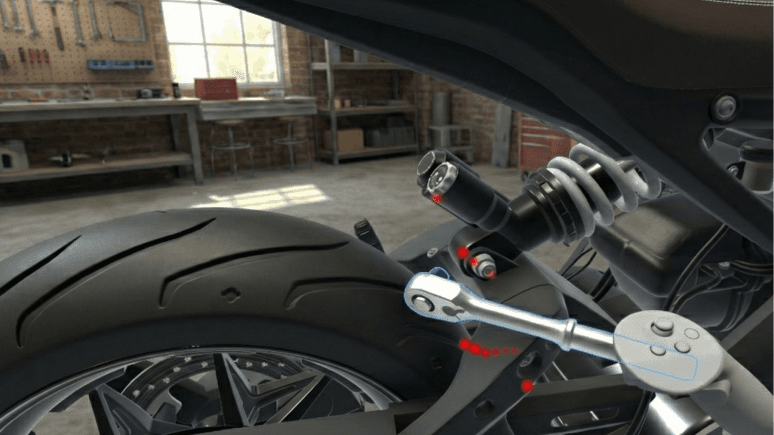
Kinematics brings physics-based interaction to your Campfire scenes, letting you evaluate assembly, service, or inspection tasks long before the first physical build.
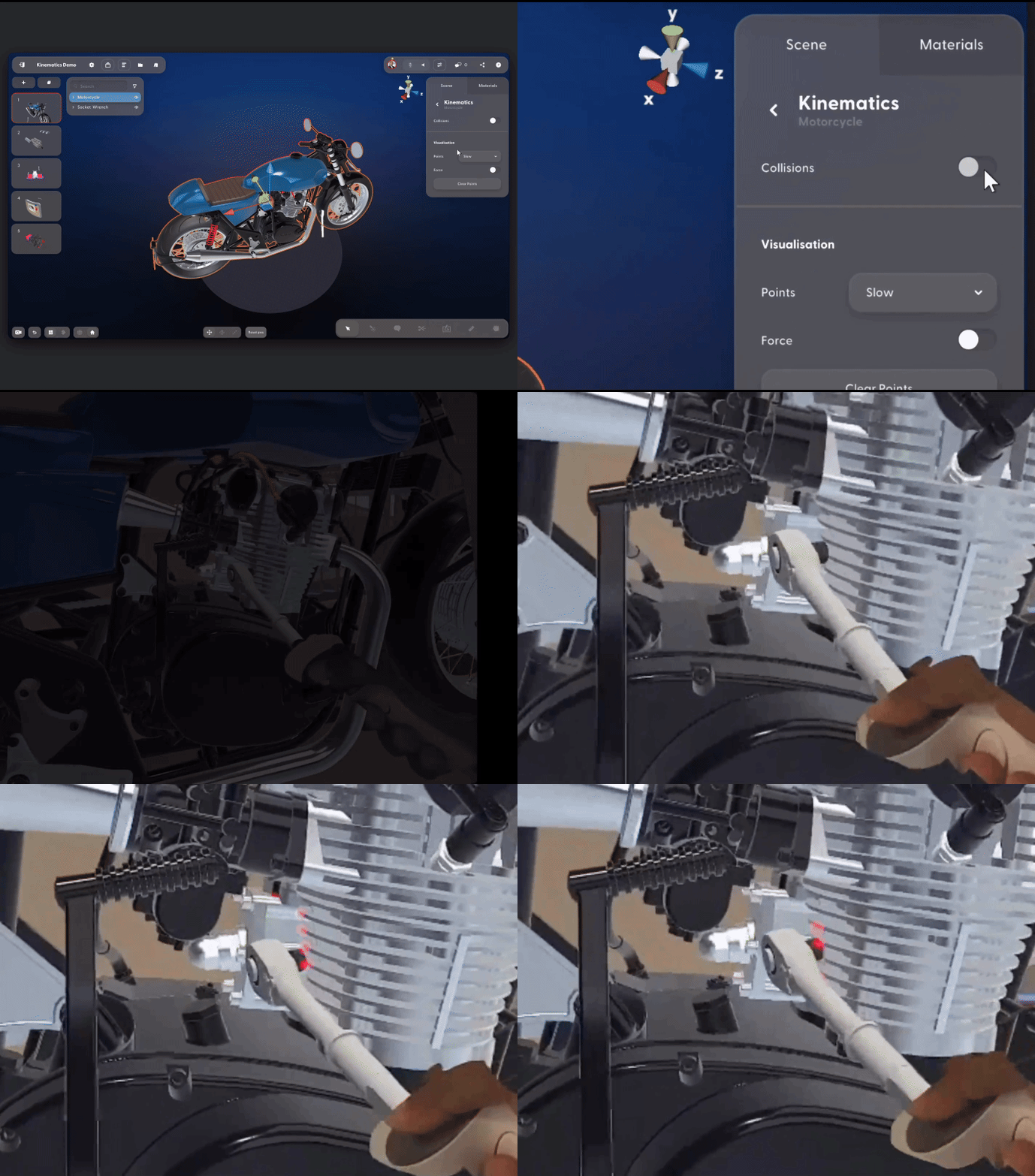
Add whatever models you need: tools, probes, assemblies, fixtures, and equipment. Build your scenes as usual, then turn on collisions with one click. As you grab tools or components and move them through each step, Campfire flags collision points in real time. No complex setup, custom development, or physical prototypes required.
It's a fast, accurate way to virtually assess reach, clearances, and ergonomics — so you can validate human-centric processes much earlier in the development cycle.
Available on PCVR and PC; Enterprise plan and Kinematics seat required.
More powerful Guest access
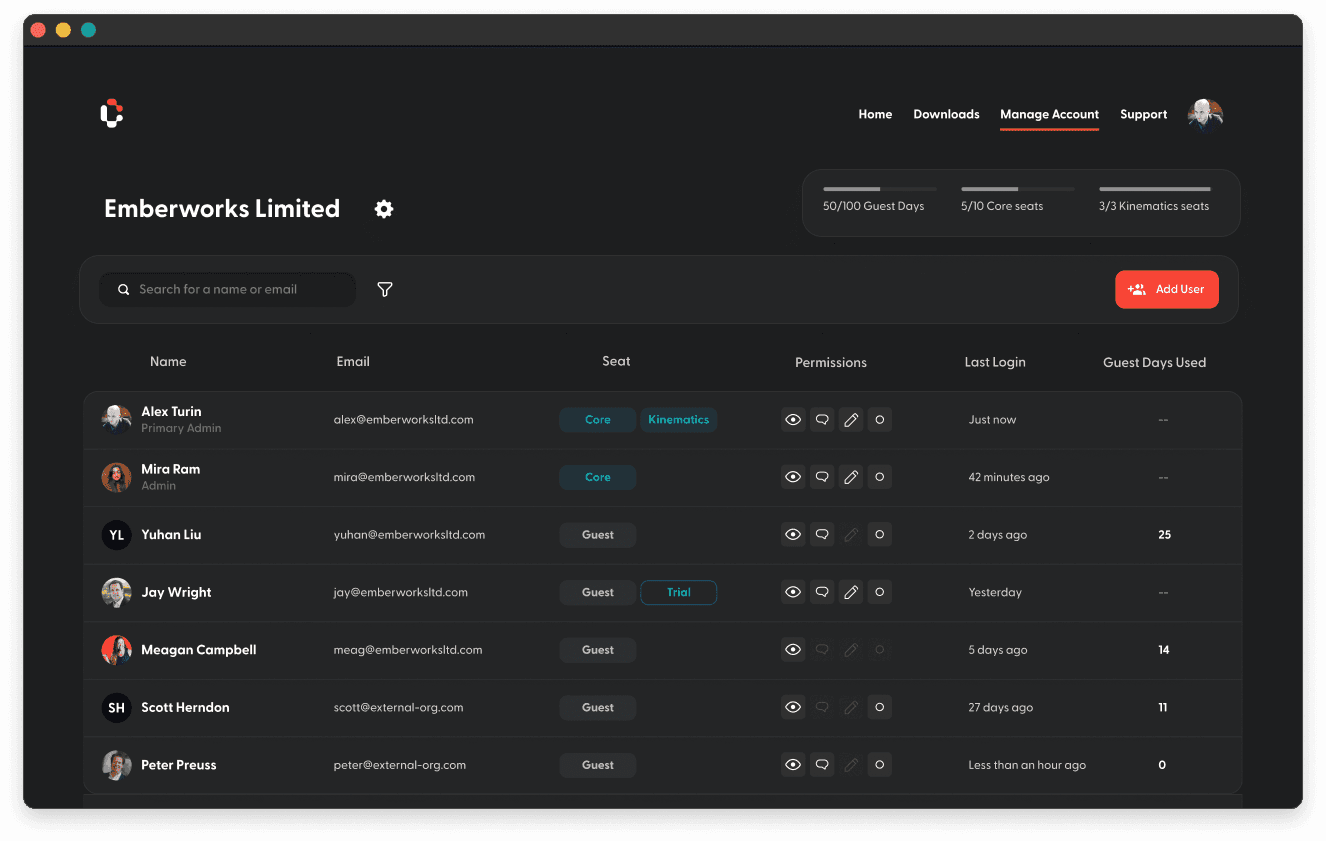
With expanded Guest access, it's easier than ever to include anyone in your reviews, from executives and subject matter experts to suppliers and customers.
You can now invite unlimited Guests to collaborate with you in Campfire. Guest accounts are free to create and free for the first day; after that, Guest access is usage-based — so you'll only pay for the days they're active.
Guest access is also more powerful, with options that go beyond viewer-only permissions. Admins can now grant viewer, commenter, or presenter access to any Guest, and the refreshed Admin Portal makes it easy to manage Guest access, update permissions, and monitor Guest Day usage.
Available on all devices; Enterprise plan required.
14-Day Enterprise trials for Guests
Admins can now enable a one-time free trial for any Guest user. The Enterprise trial unlocks access to all features for 14 days — including Kinematics — letting Guests explore Campfire’s full capabilities with no cost or commitment.
Available on all devices; Enterprise plan required.