Product Update
Jul 27, 2026
In this release: go controller-free as a viewer, add text and image cards, merge parts, and fine-tune performance for large models.
Keep scrolling for more info, or see the full release notes here.
No controllers needed for viewers
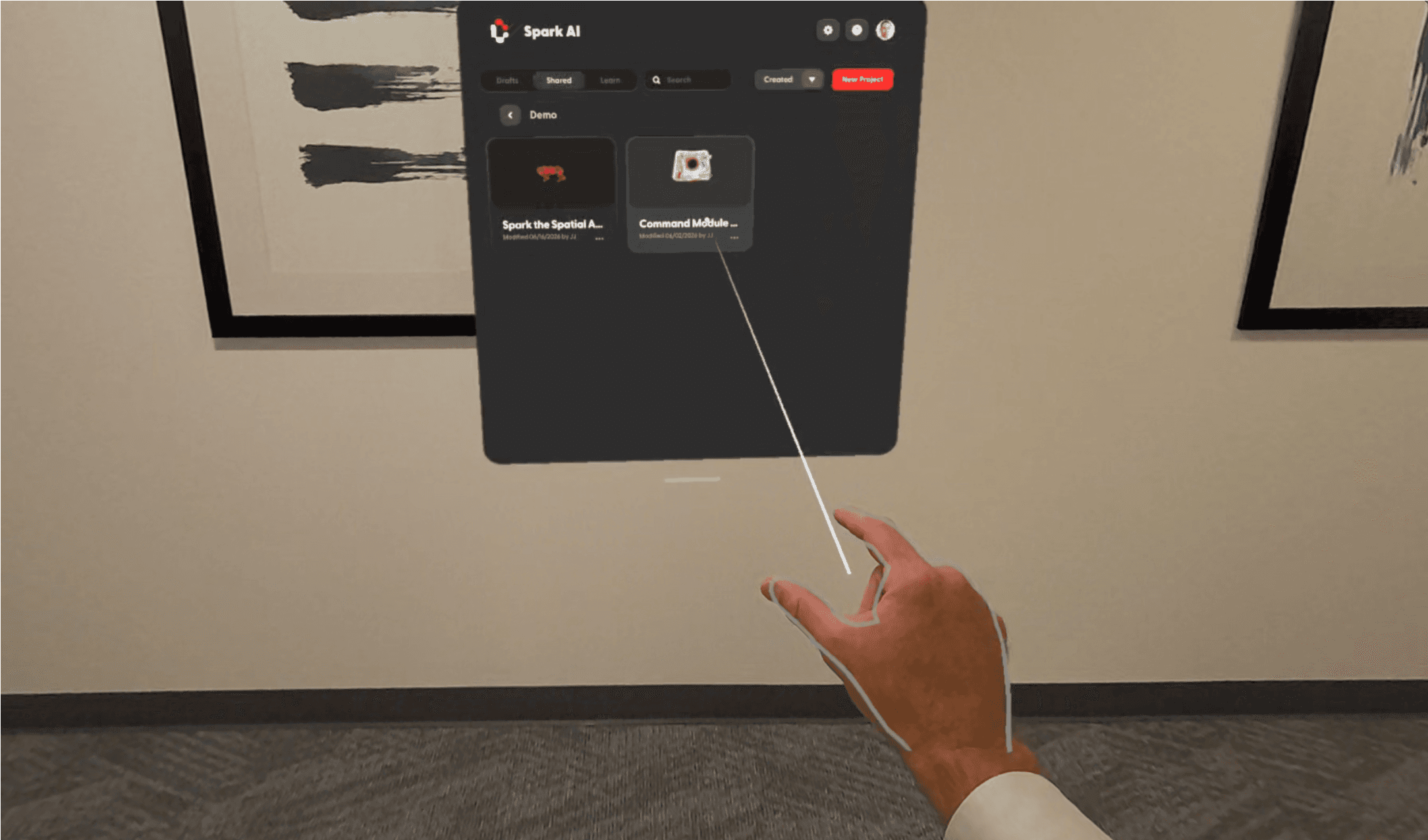
Viewers can now hop into Campfire and participate with their hands alone. Put on a headset, join a project, and start following along — no controller needed. Reach out with your hand, then pinch or touch to select.
Your hands are visible to remote participants, so you can point things out and join the conversation naturally.
Available on Quest and Galaxy XR, on all plans.
Add context anywhere with cards
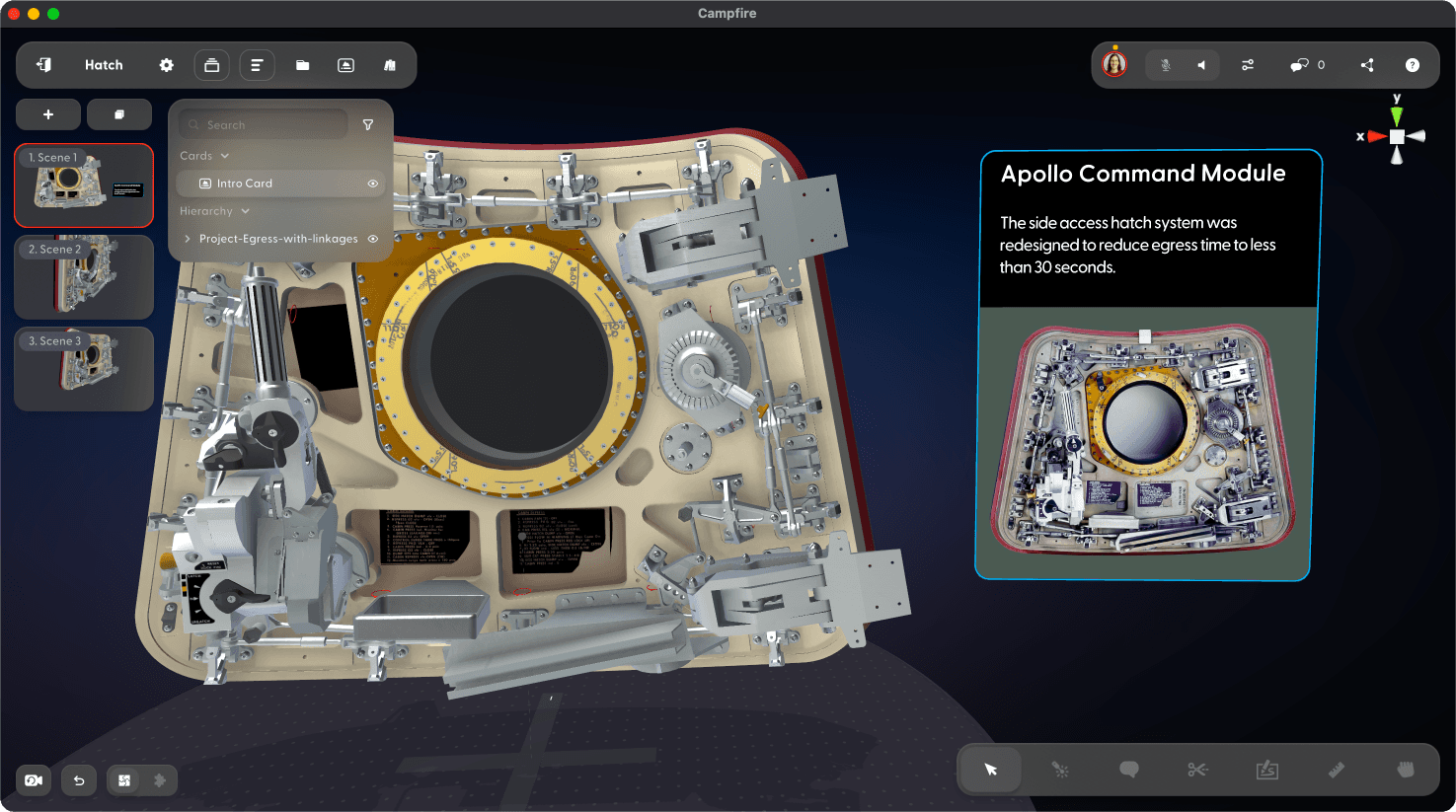
Drop a card into a scene to add context wherever it's needed. Edit cards to add and format text, an image, or both. Add instructions beside a model, attach a card to a surface as a part label, or lay one on the ground as a directional marker.
Available on all devices and all plans.
Merge parts into one object
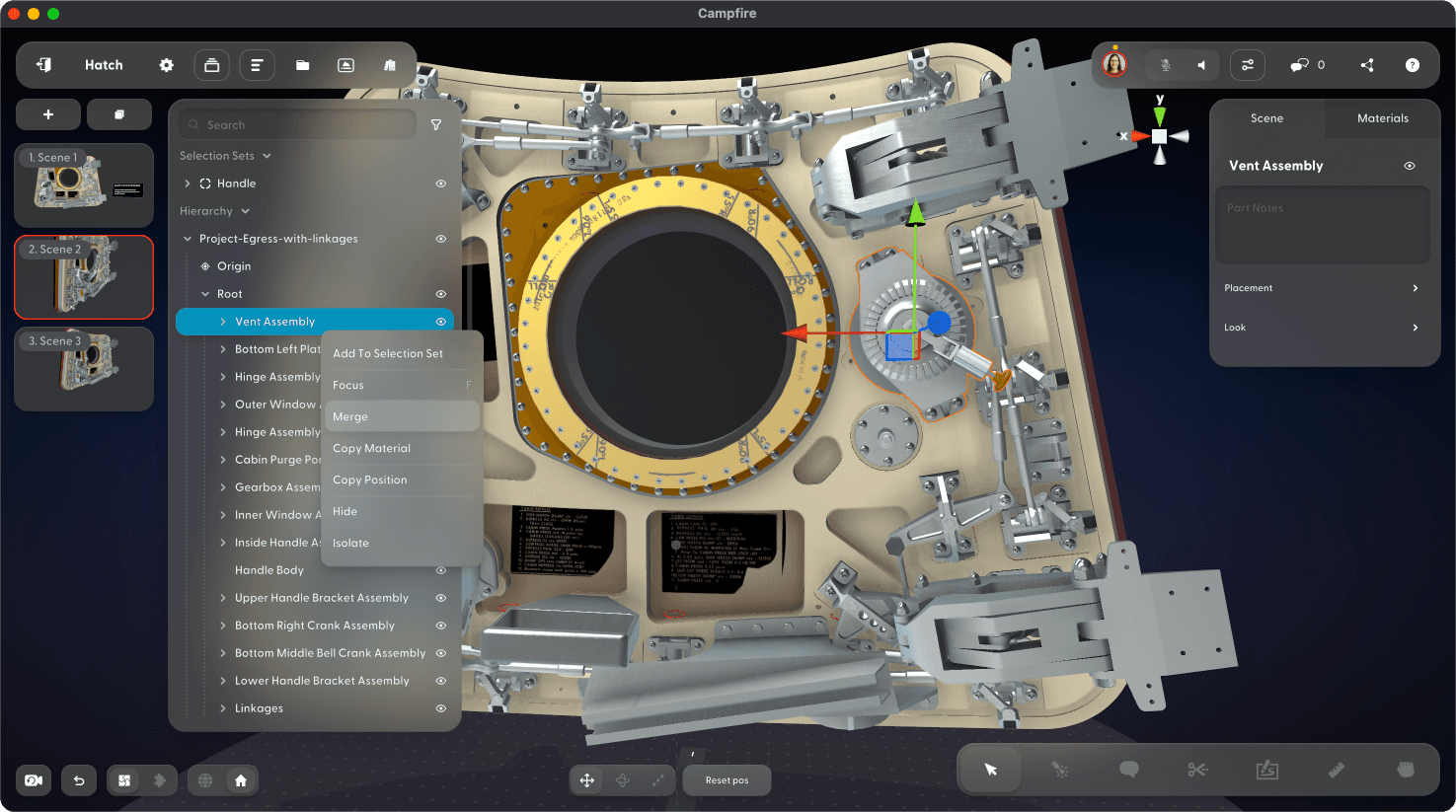
Treat a whole sub-assembly as a single object. Now you can merge everything nested under a node in the hierarchy, so tools like grab and explode act on it all at once. Keep a component together with all its fasteners, or merge an entire model into one part to make it easier to use probes, wrenches, and other tools. Un-merge anytime to restore the original hierarchy exactly as it was.
Available on all devices and all plans.
Fine-tune performance for large models
Campfire automatically optimizes every model you add, so most are ready to go with zero setup. For large, complex models with more than 15,000 parts or 4 million polygons, you can now take optimization further.
Adjust how aggressively a model is decimated or remove small or hidden parts — giving you more control to find the right balance of detail and performance.
Available on PC and Mac with an Enterprise plan.
Updated CAD format support
Campfire now supports the latest releases from major CAD systems, including CATIA V5 (up to V5-6R2026), SolidWorks (up to 2026), NX (up to NX 2512), and more. See the full list of supported file formats here.
Available on all devices with an Enterprise plan.